
 PaperBoy
 Documents & PDFOfficeBoy
 Convert a fileConvertBoy
 Send filesShareBoy
 DesignDesignBoy
 Social postsSocialBoy
 QR codes & linksLinkBoy
 InvoicesBusinessBoy
 Sell onlineShopBoy
 QR menuMenuBoy
 Website checkSearchBoy
Custom tools for your team
When work lives in Viber, Excel, paper or one person's memory. PaperBoy maps the routine, builds the first useful feature, such as booking, records or a status board, and hands the tool to the team with short instructions. The next phase is agreed afterwards.
Work that is already live
All work-
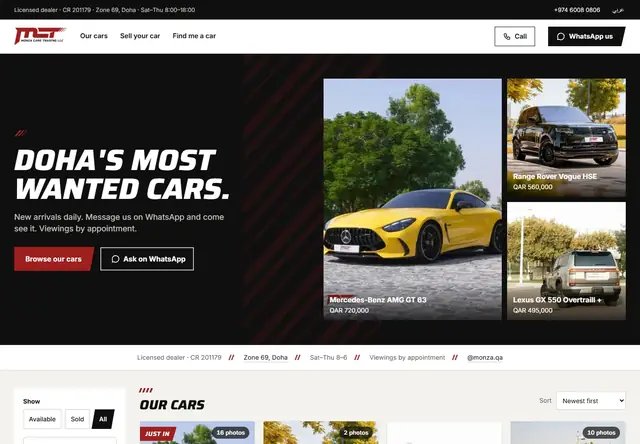 Car showroom · Doha MONZA The cars in stock on the website, and a phone assistant that answers in Arabic.
-
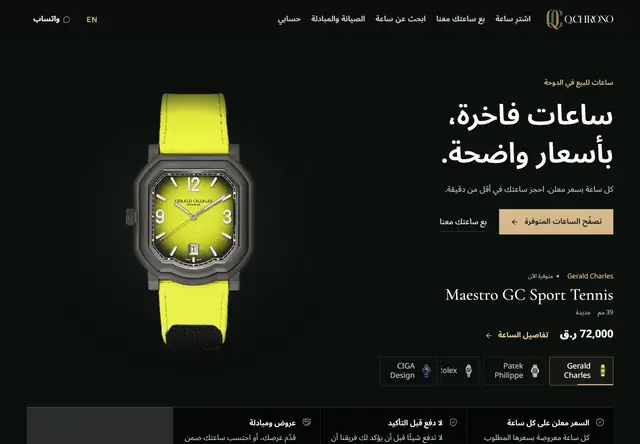 Watches · Doha Q.CHRONO A customer chat from ads now costs 2.9 QAR, down from 8.94.
-
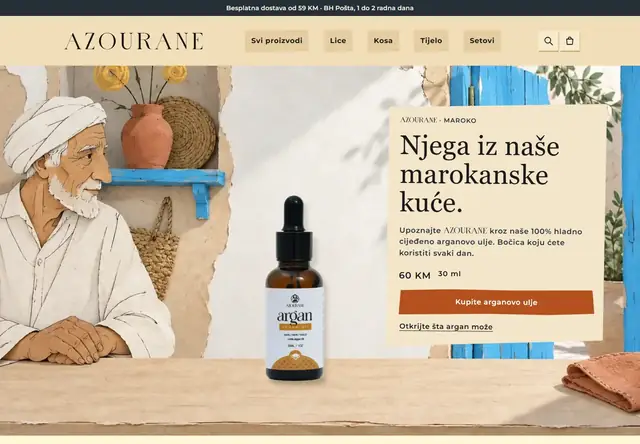 Shop · Sarajevo AZOURANE My own cosmetics brand: the online store and the staff tool.
-
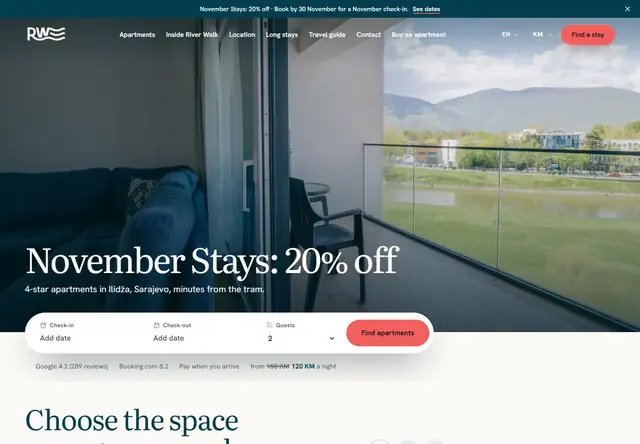 Apart‑hotel · Ilidža, Sarajevo River Walk Guests choose an apartment and book direct.
What PaperBoy can build
Routine map
Steps, responsibilities, statuses, exceptions and data written so the team can follow the work.
Staff routine
Steps, shifts, checks and a work standard a new employee follows from day one.
First useful function
Booking, status board, portal, record, reminder or internal view that solves one real problem.
Booking / portal
Appointment, documents, status and payment or confirmation through an orderly flow.
Oversight from anywhere
An internal view of tasks, statuses, numbers and problems while you are away.
Automation and advice
Connecting tools, reports and suggestions for making the process simpler and more efficient.
Team handover
Short instructions, access and a practical explanation of how the tool fits daily work.
Phases instead of fog
If the tool should grow, the next phase is scoped after the first useful version.
How your tool is built
Describe the work
Who enters the data, who uses it, and where does work get stuck? Send a short description and name the tools you already use.
Agree the first function
I suggest what to connect or simplify first. Scope and timing are agreed in writing before development.
Check and hand over
We walk through the agreed workflow together. Your team receives access and instructions for daily use.
Connections to existing software are checked first. The scope also depends on what those systems support.
Business tools for Q.CHRONO
For Q.CHRONO, records, a business dashboard and invoicing come together in a tool designed for use on a phone. The project shows how an existing way of working becomes a tool for daily use.
See the Q.CHRONO projectCommon questions
Can you connect orders, records and invoicing?
Do we need to replace all our existing software?
What do you need to scope the work?
How long does it take?
Let PaperBoy take care of your business
I run marketing end to end: strategy, brand, paid ads, SEO and the website. Over 10 years with clients in the Middle East, among them QNB, Vodafone and Qatar Tourism. For Q.CHRONO, a customer chat from ads went from 8.94 to 2.9 QAR.
Work with us